Between 1.1.6 and 1.2.0 we landed more than two hundred commits. This release is about eight languages, a new default AI provider, textbook-sized PDFs, and quizzes that feel good without becoming empty fluff.
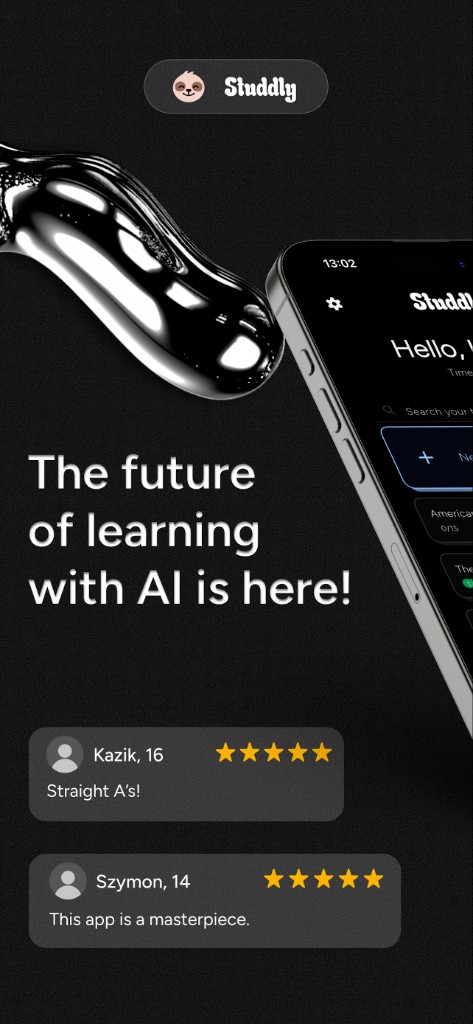
- Eight UI languages with native AI prompt files (Spanish, German, French, Ukrainian, Hindi, Indonesian, plus EN/PL).
- Mistral as the default BYOK provider; Z.ai added; Cerebras and SambaNova removed from active support.
- PDF imports up to about 500 MB, path-based loading, fullscreen page picker, fewer crashes on thick book scans.
- Drag-and-drop topic reorder on Home, clearer progress bars, polished “New topic” CTA.
- Quiz haptics, confetti, shake/shrink, and auto-open Read Text after a wrong answer.
- Simpler first-run: one API key, no backup-key step, talking sloth, fullscreen language/provider pickers.
Studdly is an offline-first study app built by students at CXXII LO Domeyko in Warsaw (Zwolnieni z Teorii; Golden Wolf in education). You scan textbook pages, notes, or a PDF, OCR runs on-device, then your own API key (BYOK) talks to the provider you choose to build mini subtopics and ABCD quizzes. Once a topic is ready, reading and quizzing work offline.
Product overview: What is Studdly? · download at studdly.app.
School pain is rarely “I need another chatbot.” It is: I have a 200-page chapter scan, a test next Thursday, the bus has no signal, and nobody wants homework photos living forever in someone else’s cloud. 1.2.0 hits those constraints: bigger PDFs, more languages for bilingual classes and Ukrainian classmates, a default provider that holds Polish well, and a wrong-answer path that sends you back into the text, active recall with less friction.

1.1.6 was mostly EN/PL-first. 1.2.0 ships English, Polish, Spanish, German, French, Ukrainian, Hindi, and Indonesian.
The important part: the free/small models Studdly uses for BYOK analysis do not reliably follow an English “answer in Hindi” instruction. Each language therefore needs its own natively written prompt pack (fast / normal / exact). Without that, quizzes drift into English or half-translated mush.
We also fixed Ukrainian “ї” rendering as a tofu square on some Samsung devices. Tapping a flag in the language picker applies the language immediately, no separate Save step.
Studdly stays BYOK: your key stays on device; inference calls go from the phone to the provider you picked. After a live bake-off, Mistral became the default, with strong Polish behavior and a path that does not force Google AI Studio signup quirks for under-18 users in Poland (Gemini can still appear in the picker; it is not forced as the first-run default).
Newly supported: Z.ai. Removed from active support: Cerebras and SambaNova (legacy keys for removed providers no longer count as “you are set up”). Settings now show the selected provider plus a dedicated “Change AI provider” button; the picker is fullscreen like the language list, with plain-language descriptions.
Under the hood: a tougher analysis queue around rate limits (429), a faster queue tick, pasted-key sanitizing, localized error toasts (so raw English API bodies do not leak into other UI languages), and Create Topic drafts that survive Back.
PDF import now targets large, high-DPI book scans, with the limit raised to about 500 MB, path-based import, fullscreen page selection, and crash fixes when adding pages from heavy files. Before a biology test you can drop a chapter scan, deselect blank title pages, and keep OCR local.
Create Topic also shows OCR quality badges on page thumbnails and clearer OCR progress for single camera captures, so you know whether a page is actually readable before you hit Create.
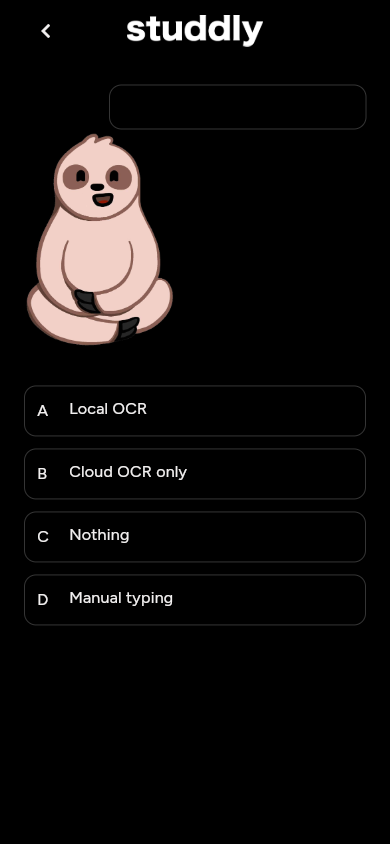
A wrong answer no longer leaves you staring at a “Read the text again” button. Studdly auto-opens Read Text after a short pause. That is intentional pedagogy: force a quick revisit before another ABCD round.
Correct taps shrink, wrong taps shake, haptics fire, answers stagger in from the bottom, and colorful confetti pops from the correct option (tuned for low-end phones too). The “Quiz Completed” celebration only appears when the whole path hits 100%, you celebrate finishing the topic, not a single lucky streak.
Read Text TTS is also steadier (better language context, fewer false error toasts when leaving the page).
- Drag-and-drop to reorder topics on Home.
- Taller, higher-contrast topic progress bar for light and dark themes; less noise on the path screen.
- “New topic” CTA height matched to topic rows, bolder label, periodic shine sweep.
- Friendlier empty / no-search-results copy with 3D icons.
- Native splash with mascot + wordmark; calmer fade-slide page transitions.
- Unified solid gray toasts (no accidental teal-lime gradients on web).
The product bar is explicit: a child around eight should finish language → name → provider help → paste one key → Home without a parent debugging the UI. The backup-key step is gone. Dialogue answers get shrink/shake feedback, the sloth talks in stop-motion frames, and onboarding reappears on first launch or when no key exists for any currently supported provider.
A big slice of the 1.1.6 → 1.2.0 diff is hardening: AI queue freezes on rate limits, delete-topic confirm, unique titles on rename, Create Topic draft retention, localized PDF/OCR/rate-limit errors, quiz navigation stack leaks, onboarding Continue locks, Flutter upgrade, iOS UIScene lifecycle, and Kotlin 2.2.20 for newer Android debug builds. Not glamorous, but it is the difference between a demo and an app that still has your topic the night before the exam.
Studdly 1.2.0 is on Google Play and the App Store. Start at studdly.app. If onboarding asks for a key after an old provider was removed, paste a key for Mistral, Z.ai, or another currently supported provider in Settings.
For the privacy model behind on-device OCR + BYOK, see Bring Your Own Key Study Apps and Offline-First Learning Apps.
Got a chapter scan ready? Drop it into 1.2.0 and run your first quiz loop.
Get Studdly 1.2.0